
Key Takeaways
- Check safety first when comparing a top kids english language app: ad-free design, clear privacy settings, and age-appropriate content matter more than flashy app store rankings.
- Prioritize speaking and listening over reading-heavy tasks, because the best English learning apps for ages 2–8 build vocabulary through short games, songs, and repeated oral practice.
- Test classroom fit before you download from Google Play or the App Store by looking for multi-learner tracking, easy device setup, and activities that work in 10- to 15-minute small-group rotations.
- Compare real value, not marketing messages, by reviewing trial terms, subscription renewal details, and whether the app works across shared tablets, iPhone, and Android devices.
- Avoid noisy kids learning apps that look busy in the store but offer little real language learning, weak progress tracking, or distracting links that break focus during class use.
- Use a simple short-list process for any top kids english language app: verify trust signals, run a 15-minute educator test, and watch whether children actually speak, repeat, and stay engaged.
One weak app choice can waste an entire term of language time. That’s the uncomfortable reality facing early years educators and learning center coordinators in 2026, as the search for a top kids english language app gets harder, not easier. App stores are more crowded, review scores are less useful than they look, and plenty of products still confuse busy tapping with real language learning. For children ages 2–8, that gap matters fast—attention is short, routines are fragile, and if an app misses the mark in the first ten minutes, the room usually tells you.
Across nurseries, reception classrooms, and small-group intervention settings, staff are rechecking the basics. Is it ad-free? Can children use it without reading prompts? Does it build listening and speaking, or just reward screen hits with noise and badges? Those questions aren’t picky; they’re practical. A classroom tool has to hold up under shared devices, mixed abilities, short rotation blocks, and parent scrutiny about privacy (which is now far sharper than it was even a year ago). In practice, the strongest choices look less flashy and far more intentional. They teach through repetition, clear audio, and play that actually leads somewhere—not just another download sitting between random games, shop prompts, and clutter in Google Play or the App Store.
Why the search for a top kids english language app matters more in 2026
At one early learning center, the tablet routine looked fine on paper. Then staff noticed children were tapping through games, hearing plenty of English, but saying almost nothing aloud. That gap explains why the search for a top kids english language app feels more urgent in 2026.
In practice, educators are no longer judging apps by the Google Play store rating alone. They’re checking whether the app works in small groups, whether settings are simple to lock down on each phone, and whether a download leads to actual language use—not just shiny games that remind adults of Pinterest clutter or random app-store noise like Shazam, Waze, Teams, Notion, Zelle, Nextdoor, or even odd search spillover such as Raya, OnlyFans, Sniffies, Streameast, Tamasha, Kisskh, Cineby, Bible, dating, password manager, inventor, iTunes, shop, notes, windows, and messages.
What changed for schools, centers, and families this year
Three shifts stand out:
- Speaking matters more—screen time now has to produce real oral language.
- Privacy checks got tighter—leaders want an ad-free english learning app for children.
- Trial periods matter—budgets are tighter, so teams test before rollout with an english learning app for kids with free trial.
Why early years educators are rechecking app quality, safety, and speaking practice
Short answer: passive tapping isn’t enough. A english speaking practice app for kids now stands out because staff need evidence that children can hear, repeat, and retain new words—fast.
They’re also looking harder at age fit. For ages 2–8, a top rated english app for preschoolers should pair clear audio with repeatable routines, while an english vocabulary games app for kids should build classroom-ready word banks, not just app-store novelty.
How to judge a top kids english language app before you download from Google Play or the App Store
Think of this like advice shared over coffee: before anyone taps Google Play or the App Store, a top kids english language app should be judged less like a toy shop find and more like classroom material. A flashy store page, cute games, and a big download button mean very little. Real quality shows up in privacy notes, age fit, and whether children can use it without chaos on the phone or tablet.
The non-negotiables: ad-free design, privacy settings, and clear parent trust signals
Start with three checks — and skip the app if one is missing.
- Ad-free use: an ad-free english learning app for children cuts distraction and lowers the risk of kids tapping out to random messages, Pinterest, or worse.
- Privacy: check settings, microphone rules, password gates, and whether voice data stays on the device.
- Trust markers: kidSAFE listing, plain-language privacy pages, and support links that are easy to find.
That matters more than whether the app appears near Google Play results beside Waze, Shazam, Teams, Notion, or a password manager.
What most app store reviews miss about real classroom use with ages 2–8
Store reviews usually focus on download issues, not group learning. For ages 2–8, educators should test turn-taking, audio clarity, and whether a top rated english app for preschoolers works in five-minute rotations. The better picks often double as an english vocabulary games app for kids and an english speaking practice app for kids — both matter in small groups.
No shortcuts here — this step actually counts.
Why “download now” tells you nothing about learning quality
Fast growth can come from clever store placement, not strong teaching. The honest test is whether an english learning app for kids with free trial builds repeatable routines, clear word recall, and spoken confidence after 2 or 3 weeks. That’s the filter that actually finds a top kids english language app.
What a top kids english language app should actually teach ages 2–8
Here’s the counterintuitive part: for ages 2–8, a strong English app should spend far less time on reading drills than most adults expect. Early learners make faster gains through sound, repetition, and response—before they can decode text on a phone, Google Play store menu, or iTunes settings screen.
Listening, speaking, and vocabulary should come before reading-heavy tasks
A real top kids english language app builds three things first: listening, spoken response, and usable words. That’s why educators often start with a english speaking practice app for kids, not one packed with notes, password manager-style menus, or reading prompts that feel made for older children on Windows tablets.
- Listening: children hear words in context
- Speaking: they answer aloud, not just tap
- Vocabulary: high-frequency words come first
Why games work better than worksheet-style tapping on a phone or tablet
Games win. Fast. A well-made english vocabulary games app for kids keeps attention longer than worksheet screens because it asks children to act, choose, match, — repeat—more like Pinterest-style discovery than static shop cards or message prompts. For coordinators comparing options, the best fit often looks like a ad-free english learning app for children with clear goals and fewer distractions.
The role of repetition, songs, and short activities in English language learning apps
Short sessions matter. In practice, 5–8 minute rounds with songs, repeat-after-me audio, and quick games work better than one 25-minute block. A top rated english app for preschoolers or an english learning app for kids with free trial should make that pattern easy to test—especially for teachers who need a top kids english language app that small groups can revisit without boredom.
Which features separate a top kids english language app from the crowded store of kids learning apps
Most apps look good for 30 seconds.
Then the problems show up: too much tapping, weak progress data, messy setup across a shared phone or center tablet. For educators comparing a top kids english language app in the Google Play or iTunes store, the honest answer is to check three things first.
Speech practice that goes beyond tapping words on screen
Real language growth needs speaking—not just matching pictures to words. A strong english speaking practice app for kids gives immediate feedback, keeps sessions short, and doesn’t bury oral practice under games alone.
In practice, the better picks pair listening with repeat-after-me prompts and playful correction—so children hear, say, and reuse the same target words. That matters more than flashy messages, Pinterest-style badges, or random companion extras that belong in a password manager, not a classroom tool.
For early years settings, an english vocabulary games app for kids should build from 8 to 12 core words per topic, then recycle them fast.
Multi-learner progress tracking for small groups, centers, and shared devices
Bluntly, one profile isn’t enough. On shared devices, teachers need:
And that’s where most mistakes happen.
- Separate learner records
- Weekly progress notes
- Clear topic completion data
A true top rated english app for preschoolers should make it easy to remind staff which child practiced pronunciation, who stayed in vocabulary review, and who needs another turn.
Offline access, teacher controls, and simple classroom setup
Setup friction kills use. An ad-free english learning app for children with offline play, simple settings, and no distracting shop links works better—especially in centers with patchy windows-side Wi-Fi or device limits.
And one more filter: trial access. An english learning app for kids with free trial lets coordinators test login flow, download speed, and rotation use before rolling it out to a group.
The commercial checklist: how buyers can compare a top kids english language app without wasting budget
How can a school tell whether a top kids english language app is worth the money—or just another bright icon in the store? The short answer: ignore the hype, check the terms, and test the setup the way children will actually use it.
Trial terms, subscription traps, and what to check before adding payment details
Start with the billing screen.
An english learning app for kids with free trial should spell out trial length, renewal date, and cancel steps inside settings—not hide them behind support messages or an iTunes password reset.
- Check renewal timing: 7 days is common.
- Check learner limits: one phone login isn’t enough for groups.
- Check ad policy: an ad-free english learning app for children saves teachers from surprise pop-ups.
Device fit across iTunes, Google Play, Android tablets, iPhone, and classroom tech
Device fit breaks more rollouts than content quality. Before any download from Google Play or the Apple store, buyers should test one Android tablet, one iPhone, classroom Wi-Fi, audio output, and whether progress syncs across devices—because what works on one phone can fall apart on shared classroom tech.
A true english speaking practice app for kids also needs clear microphone permissions — simple prompts. If children need adult help every two minutes, it won’t hold in small-group rotation.
How to compare real value instead of flashy messages, badges, and store rankings
Badges aren’t enough. Neither are top rated lists sitting beside random apps for dating, bible study, notes, teams, or even Shazam in a busy app shop.
Buyers should compare:
And that’s where most mistakes happen.
- Minutes of active speaking
- Quality of feedback
- Offline use
- Reporting for staff
For ages 2–8, a top rated english app for preschoolers should also function as an english vocabulary games app for kids, not just a tap-and-repeat companion.
Red flags to avoid when comparing the top kids english language app options in 2026
Most weak kids’ apps are easy to spot once the noise is stripped away.
- Check what children are actually learning.
- Check what the app is trying to sell or collect.
- Check what junk from the app store is sitting around it.
Apps that feel like noisy games but teach very little language
Some products look busy on Google Play or the App Store, pile on games, badges, and messages, yet teach almost no usable language. A real top kids english language app should build listening, repetition, and speech in short rounds—not just reward tapping. For classroom screening, coordinators should test one five-minute session and ask: did children hear target words three to five times, say any aloud, and meet them again in context?
That’s where an top rated english app for preschoolers earns its place, and where an english vocabulary games app for kids needs to prove the games aren’t just glitter.
Privacy concerns hiding behind social links, shop prompts, or account extras
Bluntly, any app aimed at ages 2–8 shouldn’t push social link buttons, a shop tab, or account extras that pull children toward Pinterest, Nextdoor, Teams, or random download prompts. An ad-free english learning app for children is the safer baseline. If staff have to dig through settings, iTunes notices, or phone permissions to work out what’s being tracked, that’s a warning—full stop.
Why unrelated app-store clutter — from password manager ads to random companion tools — should make educators pause
And that clutter matters. If an app page sits beside password manager offers, companion tools, or nonsense terms like Raya, OnlyFans, Streameast, Waze, Shazam, Notion, Zelle, Sniffies, or Kisskh, educators should pause and verify before any download. A strong english speaking practice app for kids or english learning app for kids with free trial should be easy to explain to families, easy to monitor, and easy to trust.
A practical framework for choosing the top kids english language app for classrooms, centers, and home-school links
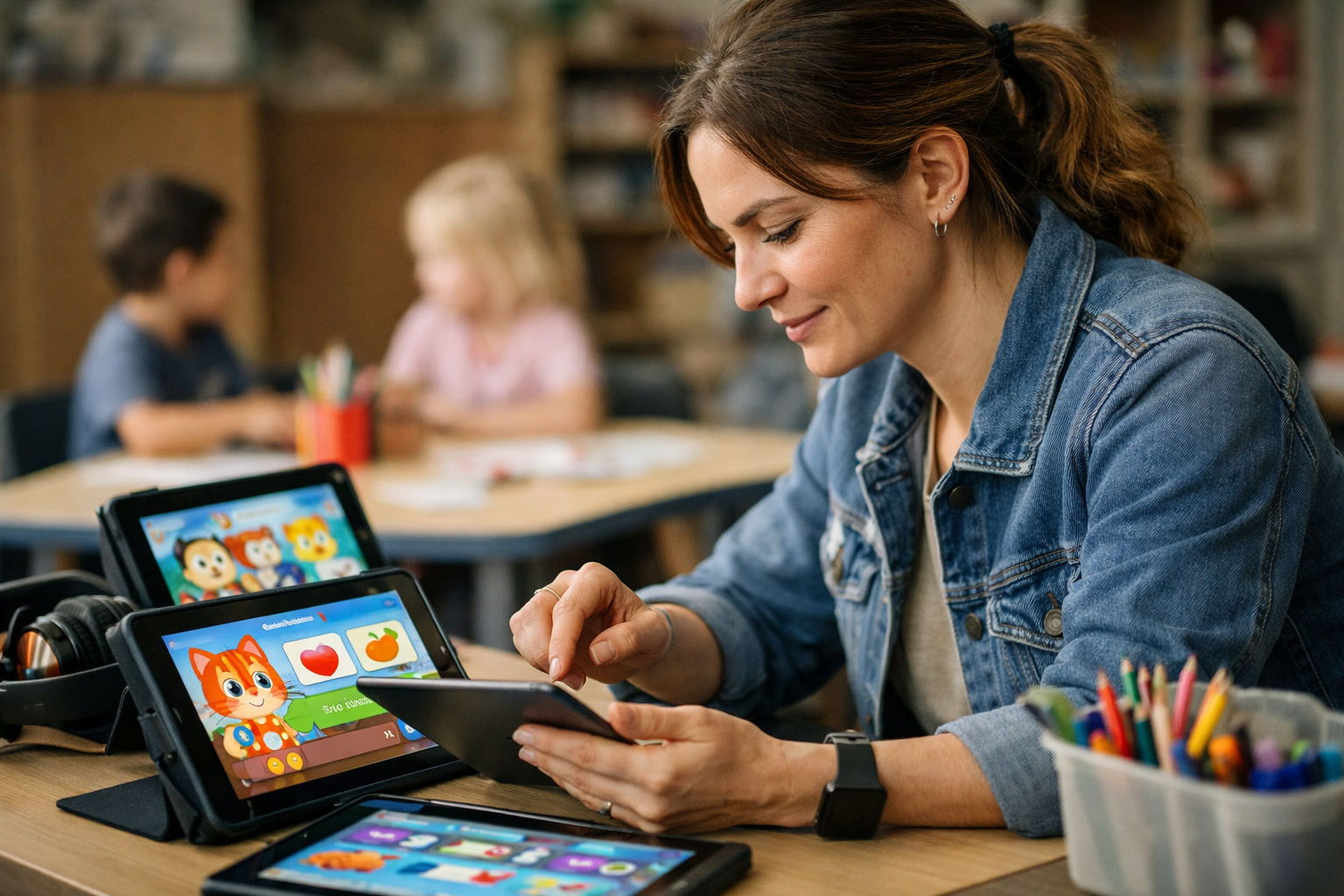
On a Tuesday morning, a reception teacher trialed three apps with six children during rotation time. One held attention for 11 minutes, one triggered constant help requests, and one buried the lesson behind a busy store-style menu that felt closer to google play than early years practice. That’s the point: picking a top kids english language app should start with live observation, not marketing copy.
The 15-minute test educators can run before rollout
Use one device, one small group, and one clear goal. In 15 minutes, staff should check:
- Start-up friction: can children begin without password resets, settings tweaks, or adult translation?
- Language fit: does the activity work as an top rated english app for preschoolers, not a watered-down older-kid tool?
- Speaking load: is it an english speaking practice app for kids or just tapping games?
In practice, the best results come from an english learning app for kids with free trial so teams can test before rollout—like they would before approving a download on a shared phone or windows device.
What strong implementation looks like in small groups and rotation time
Small-group use needs structure. The strongest setups pair 8- to 12-minute app sessions with one offline follow-up: picture cards, action verbs, or quick remind notes for families. An english vocabulary games app for kids works best when one adult models once, then steps back.
Here’s what that actually means in practice.
- 2 children on-device
- 4 children echoing target words
- 1 fast swap before attention drops
Where one expert view fits: why ad-free, trust-first app design still wins in practice
Here’s what most people miss: children don’t separate learning from interruptions. If messages, shop prompts, or random games break focus, the lesson is gone. That’s why an ad-free english learning app for children still wins in practice—and why one privacy-focused example from Studycat fits this conversation (especially for centers linking classroom use to home-school routines).
Frequently Asked Questions
Which app is best for learning English for kids?
The best choice depends on age, attention span, and whether children will use it alone or in a small group. For most early learners, the top kids English language app is usually one that teaches through short games, clear audio, speaking practice, and an ad-free setup—not an app that feels like a worksheet on a phone.
What is the best language app for kids?
If the goal is English, look for a language learning app built for ages 2–8 rather than a general app made for teens or adults. The strongest kids learning apps combine play, repetition, and real spoken language, and they should work smoothly on both Google Play and the App Store without pushing distracting extras.
Is Babbel or Duolingo better?
For young children, neither is automatically the winner. Babbel is built more for older learners, and Duolingo’s main app can feel too text-heavy for children who still need audio-first learning, so educators often prefer kids English apps with visual prompts, songs, and simple games instead.
Is there a kids version of Duolingo?
There isn’t a full standalone kids version of Duolingo for early years classrooms in the way some parents expect. Duolingo ABC exists, but it focuses on literacy rather than English as a second language, so it’s not the same thing as a top kids English language app designed for vocabulary, listening, — speaking.
What should teachers look for in a top kids English language app?
Three things matter most: age fit, classroom control, and trust. In practice, that means short activities, no ads, simple settings, strong pronunciation models, and progress notes that help staff see who is joining in and who is just tapping through screens.
Think about what that means for your situation.
Are English learning apps safe and age-appropriate for preschool and kindergarten?
Some are. Some really aren’t. A safe app for this age group should avoid ads, outside links, chat, and the kind of clutter children run into on open platforms or in app store recommendations that sit right next to unrelated content like dating, shop, or entertainment apps.
Do kids English apps actually help children speak, or do they just teach tapping?
The honest answer is that plenty of apps still reward tapping more than talking. The better language learning apps ask children to listen, repeat, and respond aloud—ideally with voice activities that happen on the device itself, which is better for privacy and easier to trust in a classroom.
How much screen time is enough for an English learning app?
Short bursts work better. For most early years settings, 10 to 15 minutes at a time is enough to build routine without turning the app into background noise, and teachers usually get better learning from four focused sessions a week than from one long block on Friday.
Should a classroom choose a free app or a paid subscription?
Free can be useful for testing, but it often comes with limits, distractions, or weak progress tracking. A paid app is worth it if it gives cleaner design, stronger privacy, and better reporting—because in a group setting, wasted minutes add up fast.
Can one English app work for both home and school?
Yes, if the app supports multiple learner profiles, simple logins, and progress that carries across devices. That matters more than people think—especially in households and centers switching between an iPhone, an Android tablet, and whatever spare phone is charged that day.
The difference shows up fast.
Choosing a top kids english language app in 2026 isn’t about picking the loudest app in the store or the one with the flashiest badge. For early years teams, the better test is simpler: does it protect children’s privacy, keep the space ad-free, and give ages 2–8 real chances to hear, repeat, and speak English in short bursts that actually fit circle time, rotations, and shared-device use? That’s where the strongest apps pull away.
And there’s another point educators can’t afford to skip—store reviews rarely tell the full story for classrooms. A five-star rating won’t show whether setup is clunky, whether progress can be tracked across a small group, or whether the app falls apart once three children use it back to back. In practice, trust markers and classroom fit matter just as much as engagement.
The next move should be concrete: shortlist two apps, run the 15-minute test with a small group this week, and record four things only—attention span, speaking attempts, ease of handoff between learners, and any privacy or ad concerns. That small trial will reveal more than a day of scrolling app stores. Pick from evidence, not hype.
For more great reading, visit our site and explore related topics.

